What forms of payment does Fragnet accept?
All online payments in the Fragnet dashboard are processed by Stripe. You don't need a Stripe or PayPal account to pay by card.
Payment methods
The payment form shows the methods available for your country and the currency your account is billed in. These include:
- Credit and debit cards
- PayPal
- Other local methods where available, such as Klarna, Revolut Pay, iDEAL, Bancontact, Google Pay and Amazon Pay
- Pix, for accounts billed in Brazilian reais (BRL)
You can also pay with your wallet balance. Add money to your wallet with Top up wallet on the Billing page, or Add funds from the wallet button in the top bar. Your wallet can pay new orders and invoices, either in full or together with another method. Renewals use your wallet balance first: if it covers a renewal invoice, the renewal is paid from your wallet. For new orders and other invoices, you choose it when you pay.
Very small amounts can be below the minimum for a card payment. In that case the dashboard asks you to pay from your wallet and offers to top it up first.
Bank transfers and other manual payment methods aren't offered in the dashboard. If you can't pay online, open a support ticket in the Billing category before you send any money.
Methods you can save for automatic renewals
A saved payment method renews your servers automatically (see How do I renew my services?). You can save:
- credit and debit cards
- PayPal
- Klarna, Revolut Pay and SEPA Direct Debit, where they are offered
For accounts billed in BRL, you can save a card. A server can also renew with Pix Automático, which you set up for each server from its Billing tab with Renew automatically with Pix.
When you order a server with a method that can be saved, it is saved for that server's renewals. Paying an invoice online does not save the method.
Save a payment method
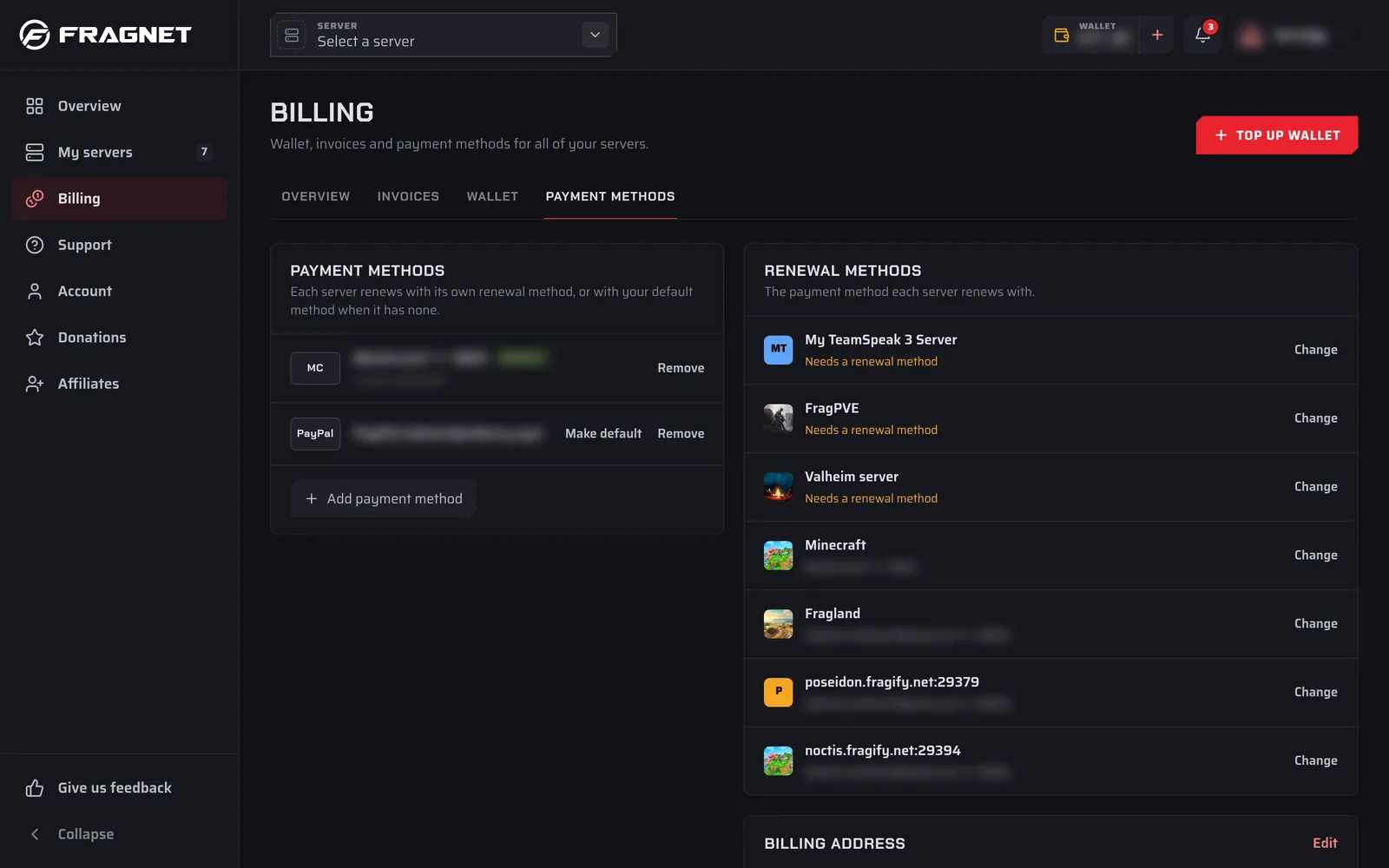
- Open the Fragnet dashboard, go to Billing and open the Payment methods tab. You can also select Payment methods in the user menu at the top right.
- Select Add payment method.
- Choose a method and enter its details. Some methods, such as PayPal, ask you to approve the payment method on their own page.
- Select Save payment method.
Adding a payment method does not charge you. The first method you save becomes your default.
Manage your saved methods
On the Payment methods tab:
- Make default sets the method used by servers that don't have their own renewal method.
- Remove deletes a method after you confirm Remove this payment method?. Servers that renewed with it fall back to your default method.
- The Renewal methods card lists each server and the method it renews with. Select Change next to a server, pick a method and select Use this method, or select Add a new payment method.
Only the account owner and team members with the Admin or Billing role can see and change payment methods.