Enabling matchmaking on Left 4 Dead 2 server
By default, our servers aren't open to matchmaking, meaning no other players can join via the Quick Match option in the game.
If you wish to have a server that's available to that option, follow these steps:
-
Open the Fragnet dashboard, go to My servers and select your server. Stop your server. See Power controls.
-
Open the Files tab.
-
Go to
left4dead2/cfg/server.cfgand select it to open it in the editor. See Edit a file. -
Find the line
sv_steamgroup_exclusive 0(line 31 in the defaultserver.cfg) and set it to 1, so it looks like this:sv_steamgroup_exclusive 1.
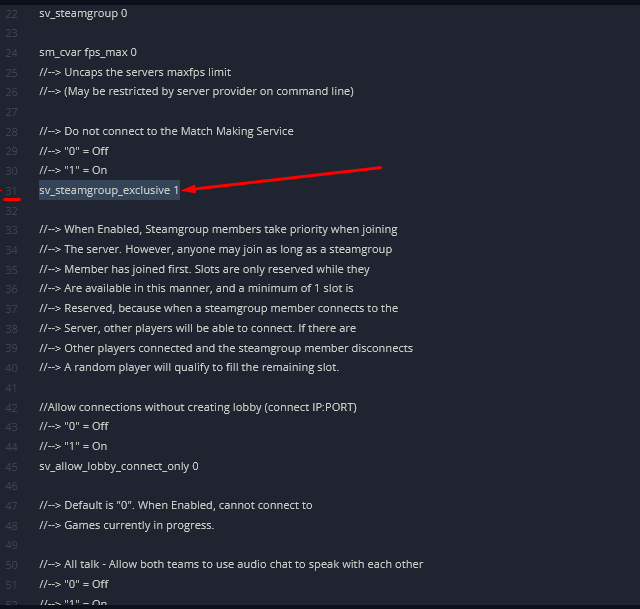
-
Once edited, select Save file.
-
Start the server again, and now players can join your server via Quick Match.