Creating whitelist on your Minecraft server
You can use whitelist function of your Minecraft server to allow only whitelisted players to join your server.
-
Login to your Fragify panel account and select your server.
-
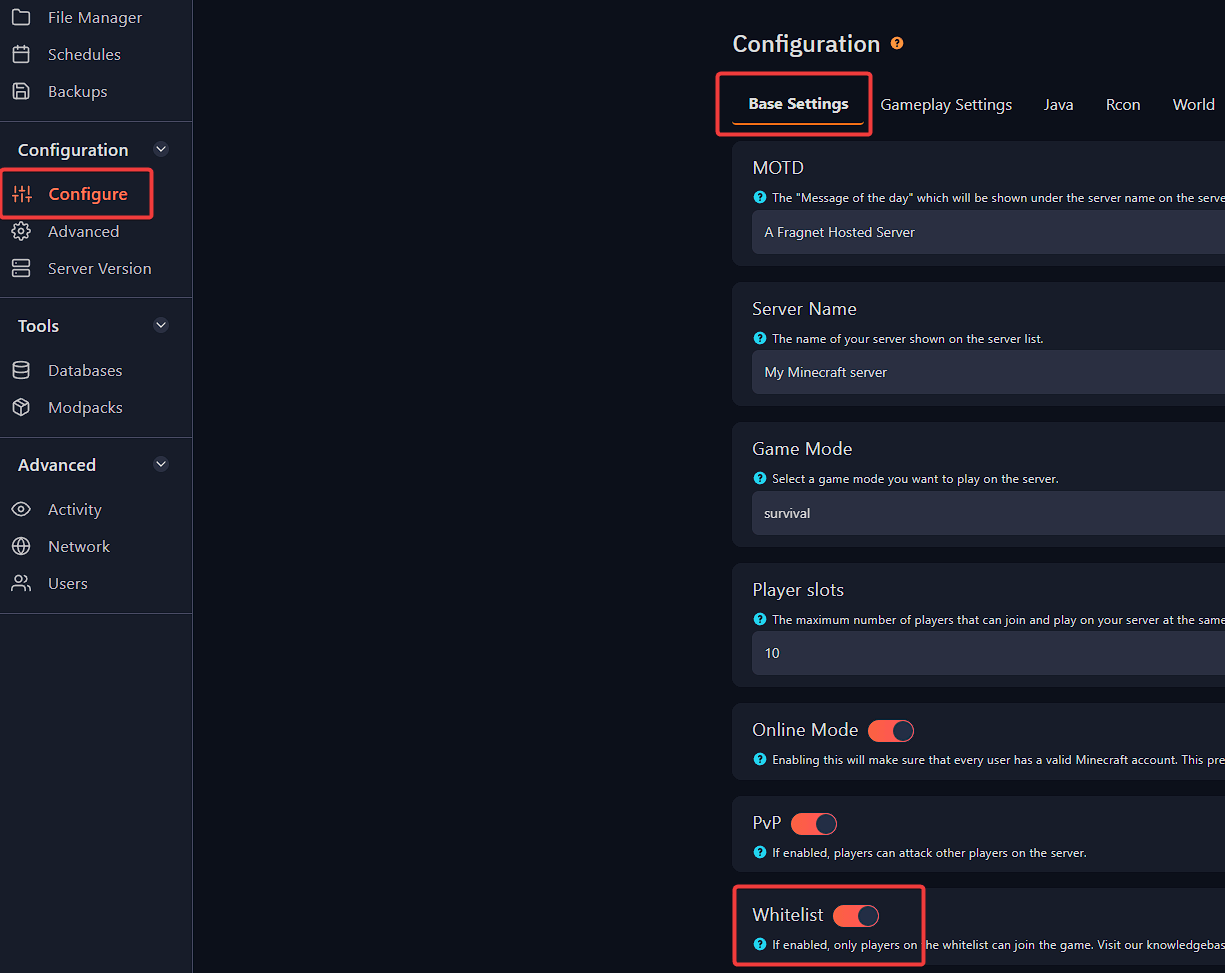
Navigate to Configure option on the left-side menu and look for Whitelist under
Base Settings. You will need to enable it.
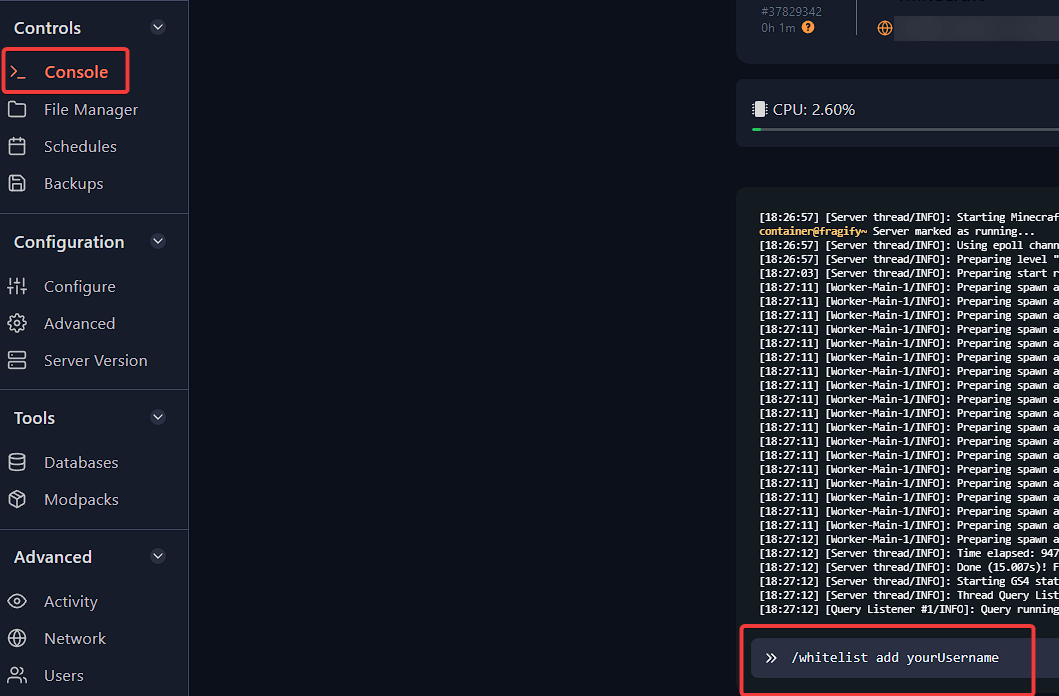
- Start the server and run the following command in-game as operator or in the console:
/whitelist add yourUsername
To remove person from the whitelist, you can use this command:
/whitelist remove yourUsername