Becoming an admin (operator) on your Minecraft server
On Minecraft, an admin is called an operator (op). You can make a player an operator on the Players tab of the dashboard, with a console command, or in game if you're already an operator.
Make a player an operator on the Players tab
- Open the Fragnet dashboard, go to My servers and select your server.
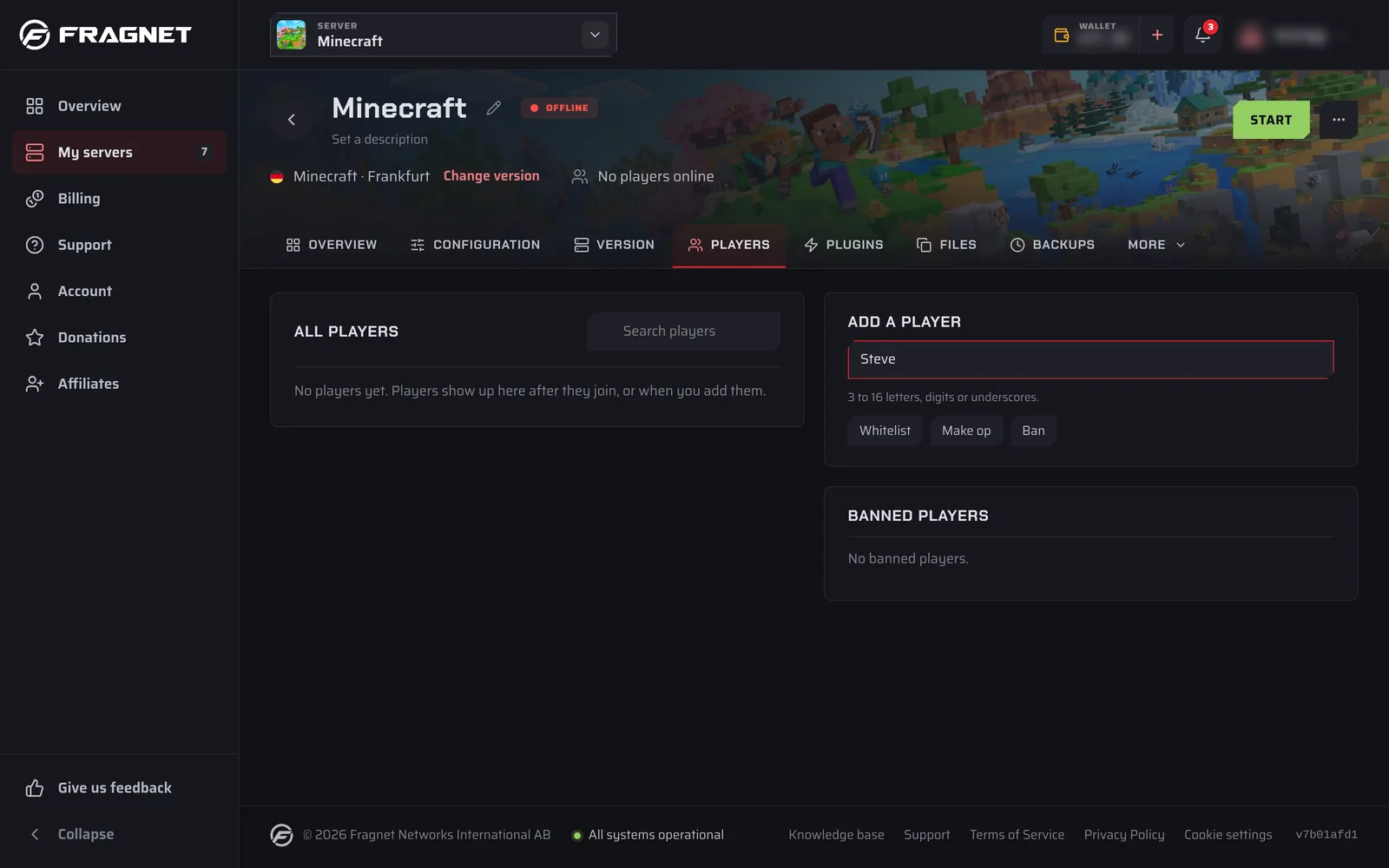
- Select the Players tab. If you don't see it in the tab row, look under More.
- In the Add a player card, type the player's Minecraft name in the Minecraft name field. Names are 3 to 16 letters, digits or underscores.
- Select Make op. You see a confirmation that the player is now an operator.
Players who have already joined are listed under All players. Select Make op next to their name instead of typing it. Operators have an Operator tag.
To take operator rights away, select De-op next to the player.
- If the server is running, the change applies right away. If it's stopped, it's saved to
ops.jsonand applies the next time the server starts. - While the server is stopped, you can only add players who have joined the server before. Otherwise you see "That player hasn't joined this server yet. Start the server and try again."
Use a command
You can also use the Console card on the Overview tab (see Send a command). The server must be running. Run:
op yourUsername
To remove operator rights, run:
deop yourUsername
Operators can run the same commands in game, with a / in front: /op yourUsername and /deop yourUsername.
Permission level
Each operator has a permission level from 1 to 4:
1 - Player can bypass spawn protection.
2 - Player can use commands such as /summon, /teleport, /tp, /xp, /setblock, /locate, /kill, /give and player can use command blocks.
3 - Player can use commands related to multiplayer management such as /ban, /deop, /kick, /op, /whitelist.
4 - Player can use all commands.
Set the level for new operators
New operators get the level set in Operator permission level in server.properties. The default is 4.
- Select the Configuration tab and then
server.propertiesin the list on the left. - In the Players group, change Operator permission level.
- Select Save and restart, or Save to apply it at the next start. See Change a setting.
Change the level of one operator
-
Stop the server, so it doesn't overwrite the file while you edit it.
-
Select the Files tab and open
ops.jsonin the main folder (see Edit a file). It looks like this:[
{
"uuid": "1232378-342772-23432-82472-34237794724",
"name": "yourUsername",
"level": 4,
"bypassesPlayerLimit": false
}
] -
Change the
levelof the player to a value from 1 to 4. -
Select Save file, then start the server.