Pair your Rust server with the Rust+ app
Rust+ is Facepunch's companion app. Once paired, your phone shows the map, team chat and alarms of your Rust server. Your server needs no setup for it: players pair it in game.
-
Download the Rust+ app on your phone:
-
Open Rust and join your server. If you can't find it, see Connecting to your Rust server.
-
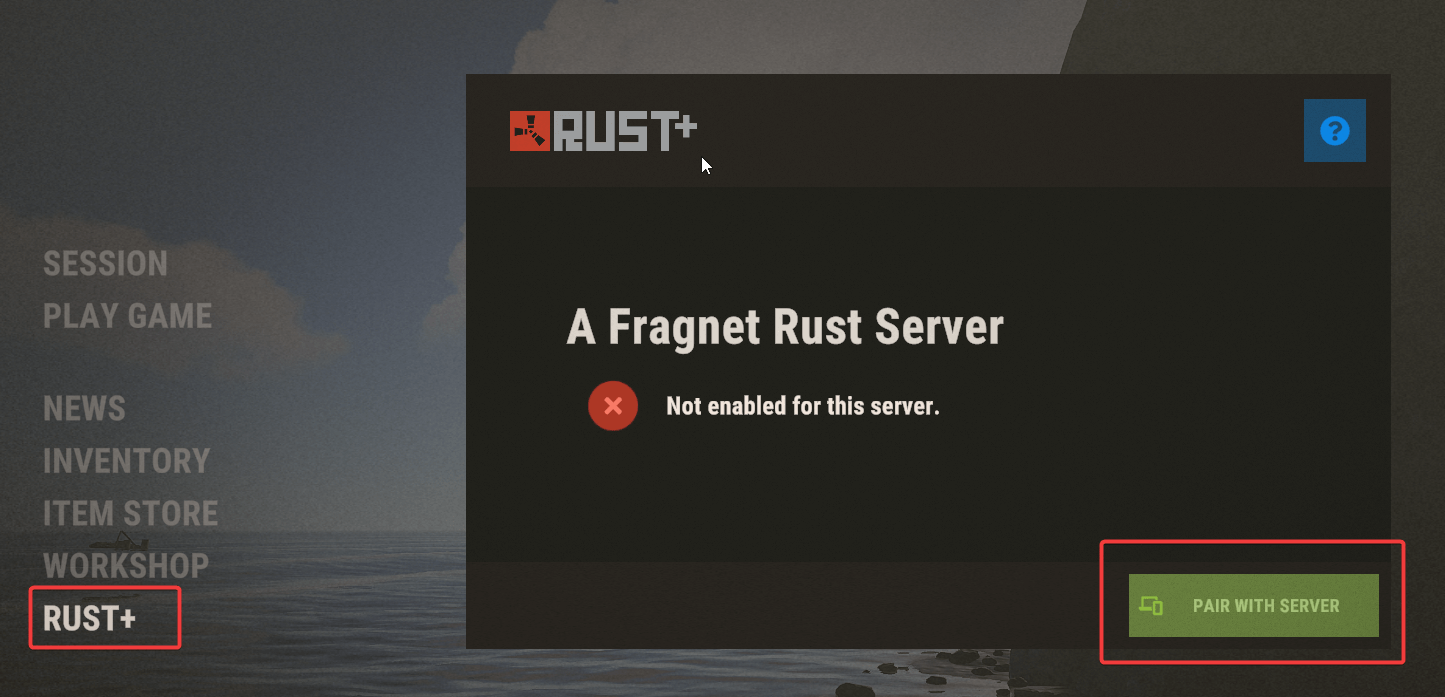
Press ESC and select Rust+ in the menu.
-
Select Pair with server.
-
Open the Rust+ app on your phone and select Pair a server.
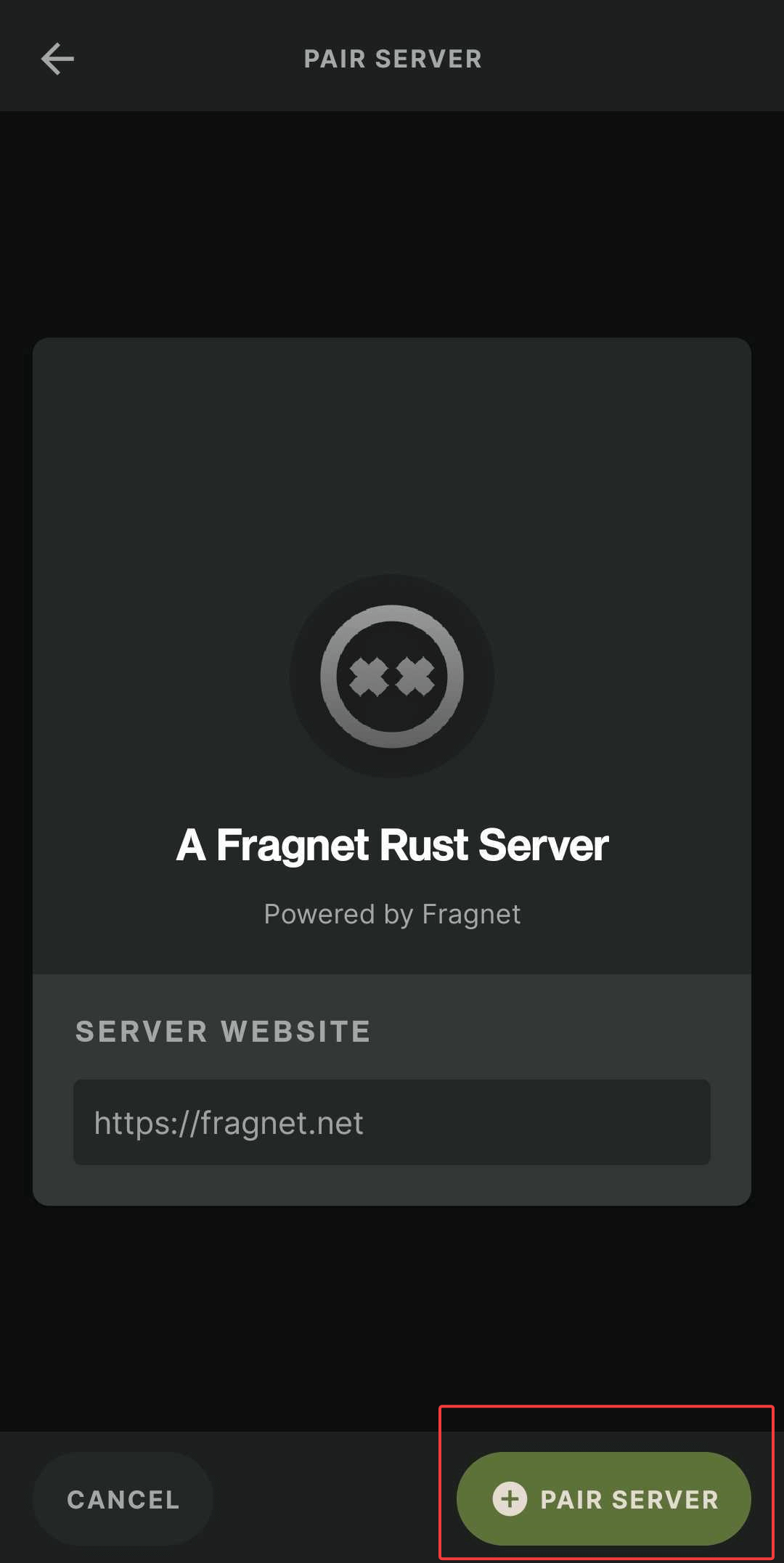
Your server is now paired with the Rust+ app on your phone.
If pairing doesn't work
The app connects to your server on its Rust+ port. You can see it in the Fragnet dashboard: on the Configuration tab, select General and look under RCON and Rust+ > Rust+ port. If no port is shown there, or the Rust+ window in game says Rust+ isn't enabled for the server, open a support ticket.
A Full wipe on the Wipes tab keeps Rust+ pairings, so players don't need to pair again after a wipe. See Wiping your Rust server.