Connecting to your Rust server
There are several ways to join your Rust server. All of them start in the Fragnet dashboard.
Before you connect
- Open the Fragnet dashboard, go to My servers and select your Rust server.
- Check your server's address. It's the Address row of the Server Details card on the Overview tab. Select the copy button next to it to copy it. See Server Details.
- Give your server a name players can find. See Change your server name.
- Start the server with Start at the top of the page. A Rust server takes a few minutes to start, longer the first time and on large maps. Wait until the Console shows
Server startup complete.
Via the in-game server browser
-
Open Rust and select Play Game. The server browser opens.
-
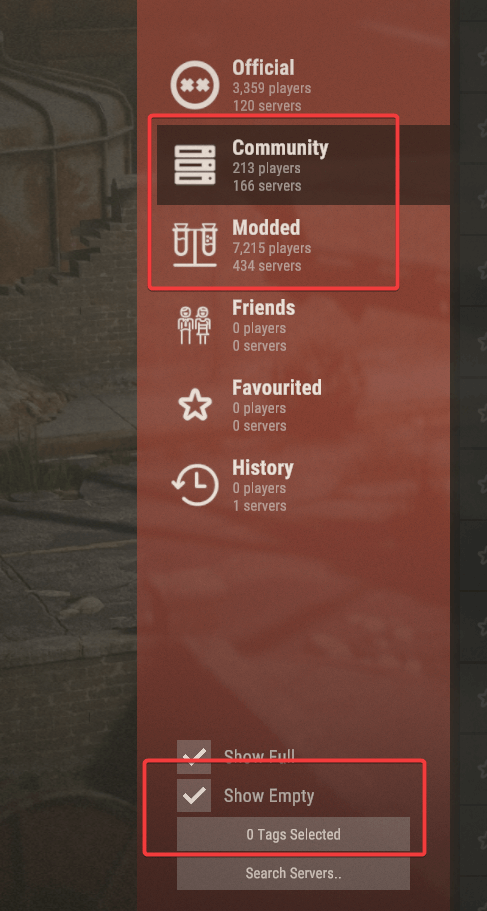
Select the Community tab. If your server runs Oxide or Carbon with plugins, select the Modded tab instead. You may need to tick Show Empty to see a server without players.
-
Type your server's name in Search Servers.. and wait for it to appear. Select Refresh if it doesn't show up straight away; new servers can take a while to be listed.
-
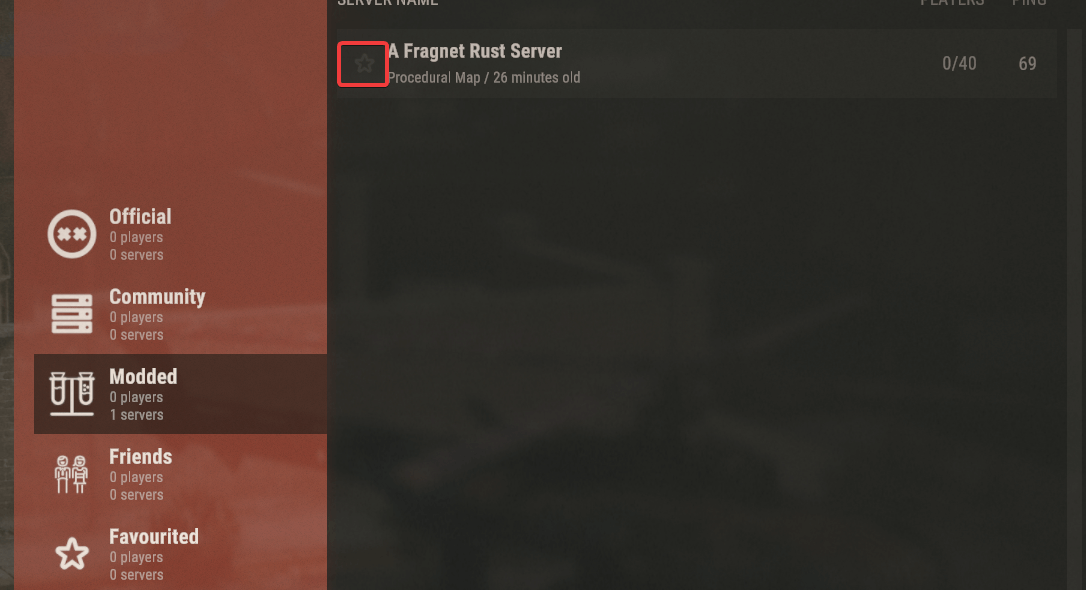
Select the star next to your server to add it to the Favourited tab, so you can always find it there.
You can also filter the browser by tags. To set your server's tags, open the Configuration tab, select General and pick them under Server browser > Tags, for example Monthly wipe, Vanilla or Europe. They apply at the next restart. Read more about tags on the Facepunch wiki.
Via the in-game console
-
Open Rust. On the main menu, press F1 to open the console.
-
Type
client.connectfollowed by your server's address, for example:client.connect 123.456.789.012:27015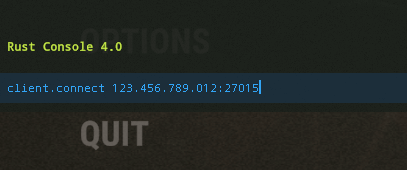
-
Press Enter to join. Press F1 again to close the console.
Via Steam favourites
-
Open Steam and select View > Game Servers (Servers in older Steam versions).

-
Go to the Favorites tab and select Add a server.
-
Enter your server's address and select Add this address to favorites. You can then join from the Favorites tab at any time. Find games at this address... shows the server straight away.