Change your Arma 3 server's settings
Your server's settings live in server.cfg. You change them on the Configuration tab without editing the file by hand.
Open the settings
- Open the Fragnet dashboard, go to My servers and select your server.
- Select the Configuration tab, then server.cfg in the list on the left.
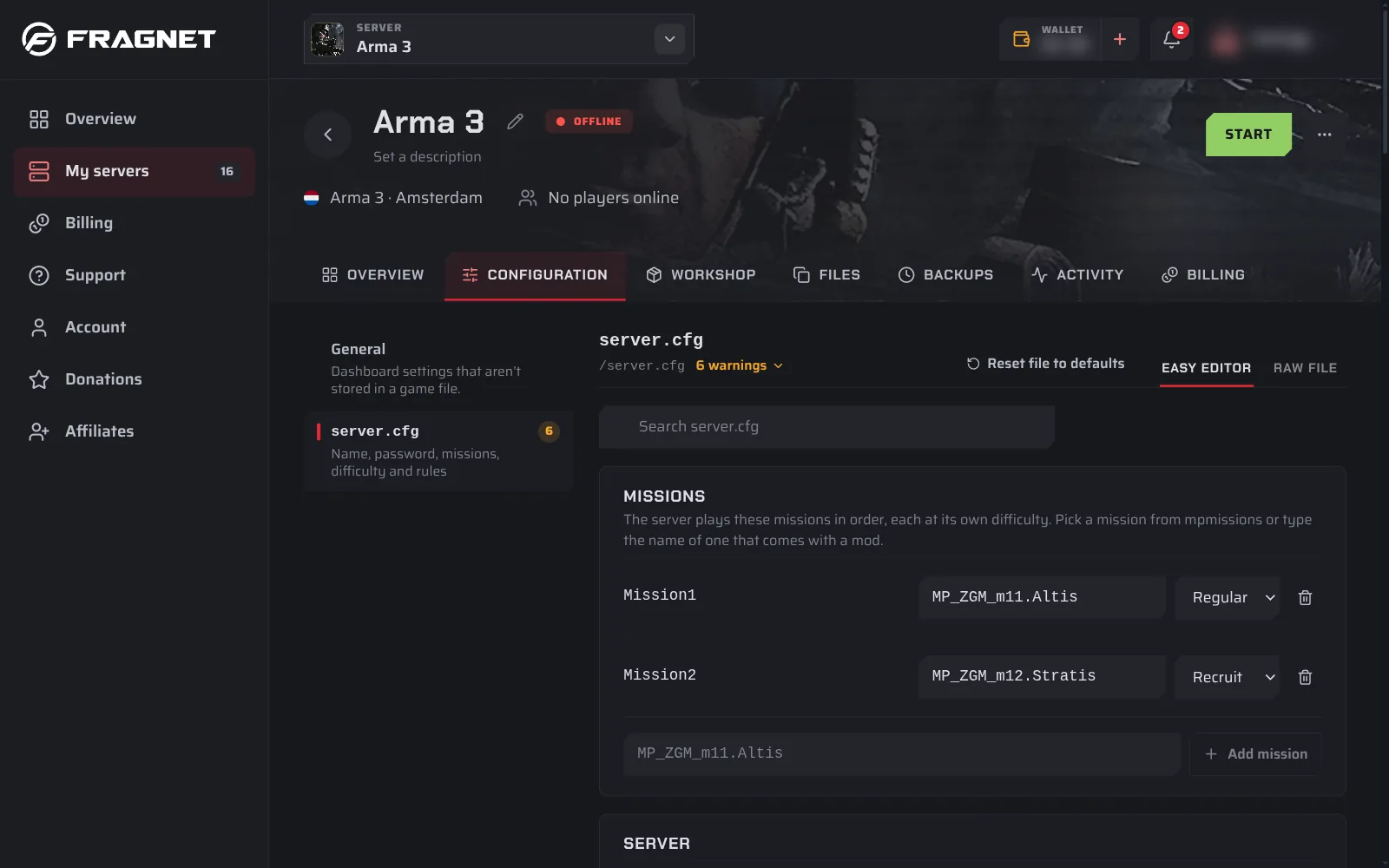
The page shows the settings as a form (Easy editor). To edit the file's text yourself, switch to Raw file.
The settings most people change
| Setting | Where | What it does |
|---|---|---|
| Server name | Server | The name in the server browser. |
| Join password | Server | Players need it to join. Leave it empty for a public server. |
| Difficulty | Server | Recruit, Regular, Veteran or Custom, for missions that don't set their own. Missions in the list use the difficulty next to them. |
| Missions | the card at the top | The missions the server plays, in order. See Add a custom mission. |
| Admin password | Admin access | Type #login and this password in chat to become admin. See Become admin. |
| Admins | Admin access | Steam64 IDs, one per line, that can become admin without the password. |
| Message of the day | Messages | Lines shown in chat when players join. |
Other groups cover joining rules (BattlEye, signature check), voice chat, voting and network limits. Search for a setting with the search box at the top. Settings in your file that the form doesn't know are under Other settings.
Missions
The Missions card lists the missions the server plays, one after the other.
- Add a mission: type its name or pick it from the list, then select Add mission. The list shows the
.pbofiles and mission folders inmpmissions. A mission that comes with a mod, such as Antistasi, isn't in that list: type its name. - Change a mission: edit its name in place, or pick another difficulty next to it. A mission's own difficulty wins over the Difficulty setting under Server.
- Remove a mission: select the bin icon next to it.
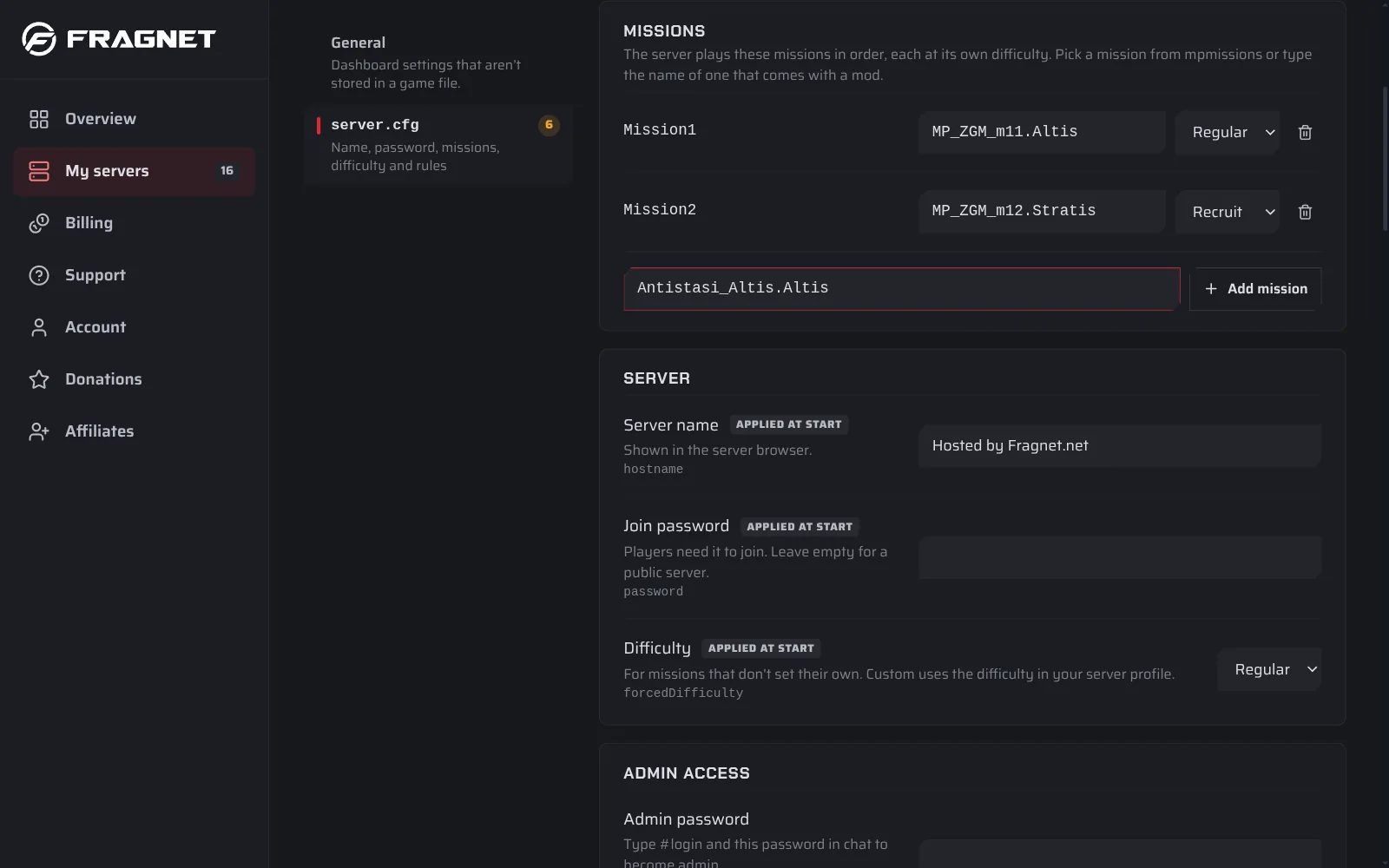
If your file has no mission list, an admin picks the mission in game with #missions.
Save
Select Save and restart to apply the changes now, or Save to apply them at the next start. Arma 3 reads server.cfg only when it starts.
If a value isn't valid, the page shows it under Problems and won't save until it's fixed.
The join password is also a startup setting, because headless clients use it to join. The Join password box changes that setting for you.