Become admin on your Arma 3 server
As admin you can kick and ban players, change the mission and restart it, all from the chat in the game.
Set the admin password
The admin password is passwordAdmin in your server's server.cfg.
- Open the Fragnet dashboard, go to My servers and select your server.
- Open the Configuration tab, select server.cfg, and type the password in Admin password under Admin access.
- Select Save and restart, or Save and restart the server later. The server reads
server.cfgwhen it starts.
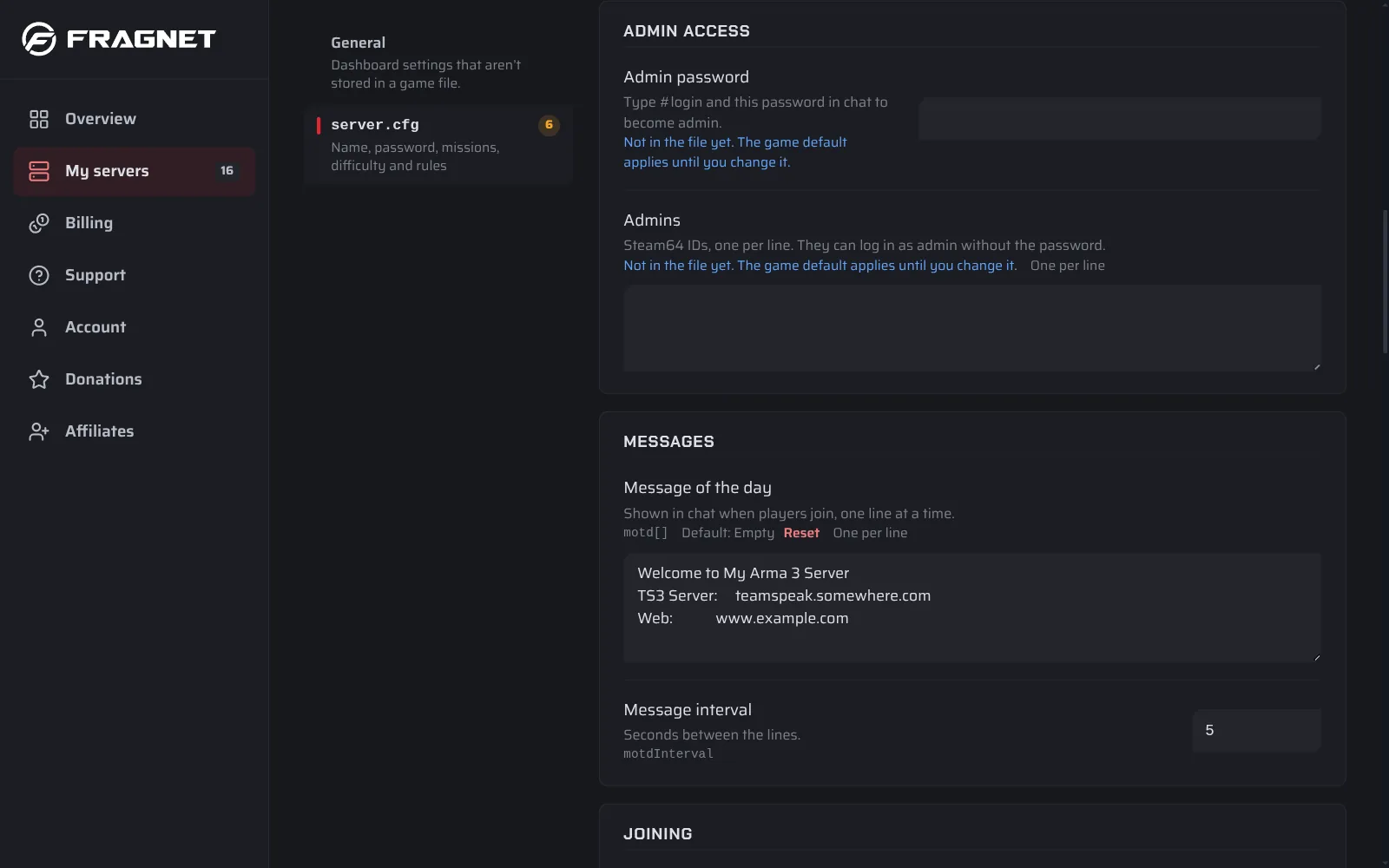
See Change a setting for how saving works. Use a different password than the join password, and don't share it with players.
Log in as admin
- Join your server.
- Open the chat (the default key is
/). - Type
#loginfollowed by your admin password, for example#login MyAdminPassword, and press Enter.
To log out, type #logout.
Log in without the password
Players whose Steam64 ID is in the admins[] list in server.cfg can log in with just #login, without the password:
admins[] = {"76561198000000000", "76561198000000001"};
A Steam64 ID is the 17-digit number that starts with 7656. You find yours in Steam under Account details.
Admin commands
Type these in the chat after you log in. The full list is on the Bohemia wiki: Multiplayer Server Commands.
| Command | What it does |
|---|---|
#logout | Logs you out as admin. |
#userlist | Lists the players on the server, with their numbers. |
#kick | Kicks a player. Add the player's name, ID or number, for example #kick 3. |
#exec ban | Bans a player. Add the name, ID or number in quotes, for example #exec ban "3". The player's ID is saved in ban.txt. |
#missions | Ends the current mission and opens the list of missions, so you can pick one. |
#restart | Restarts the current mission. |
#reassign | Starts the mission over and lets players choose their roles again. |
#shutdown | Shuts the server down right away. |
To lift a ban, type #exec unban followed by the player's ID in quotes, for example #exec unban "76561198000000000".
#restart only restarts the mission. To restart the whole server, use Restart in the dashboard. See Power controls.