Becoming an Admin
This guide explains how to become an admin on your Farming Simulator 2025 server.
Step 1: Join Your Server
Once you find your FS25 server in the in-game browser, use the Game Password to join the server. The Admin password will only be needed after you've joined.
Step 2: Log in as Admin
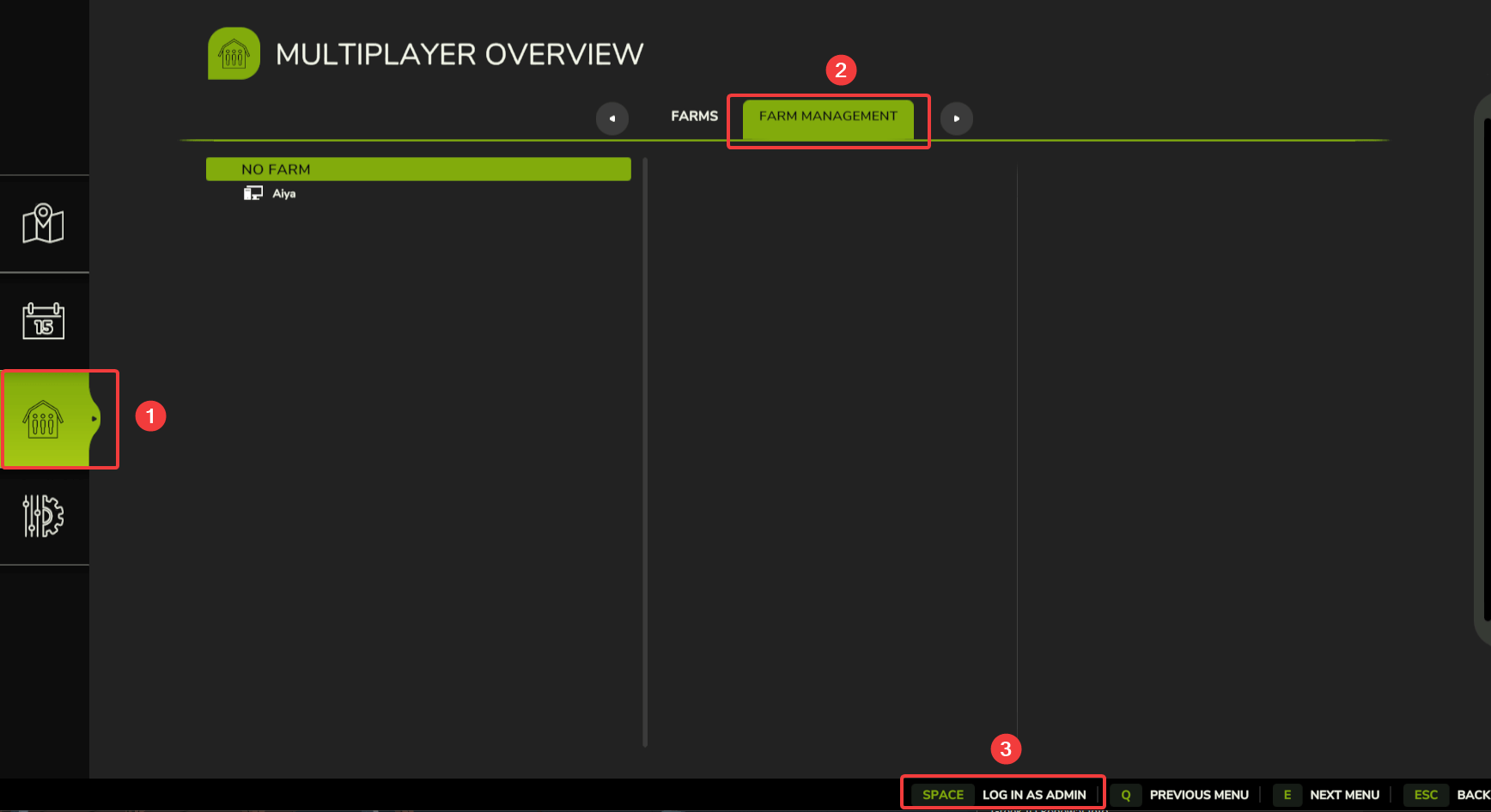
- Navigate to Multiplayer Overview menu
- Go to Farm Management
- Click on the Log in as admin button
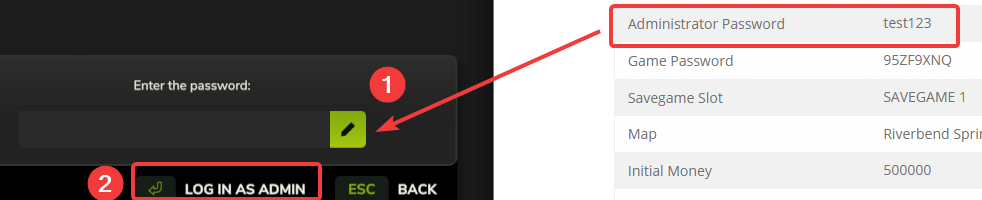
- Enter the administrator password that is set in your FS25 control panel
- Click Log in as admin again to confirm
If the password was entered correctly, you should now be an admin on your FS25 server!