Uploading Mods
This guide explains how to upload and manage mods on your Farming Simulator 2025 server.
Where Can I Find FS25 Mods?
FS25 mods can be found on the official Modhub page: farming-simulator.com/mods
You can also use 3rd party websites for mods.
Mods must be in .zip format to be recognized in the FS25 control panel.
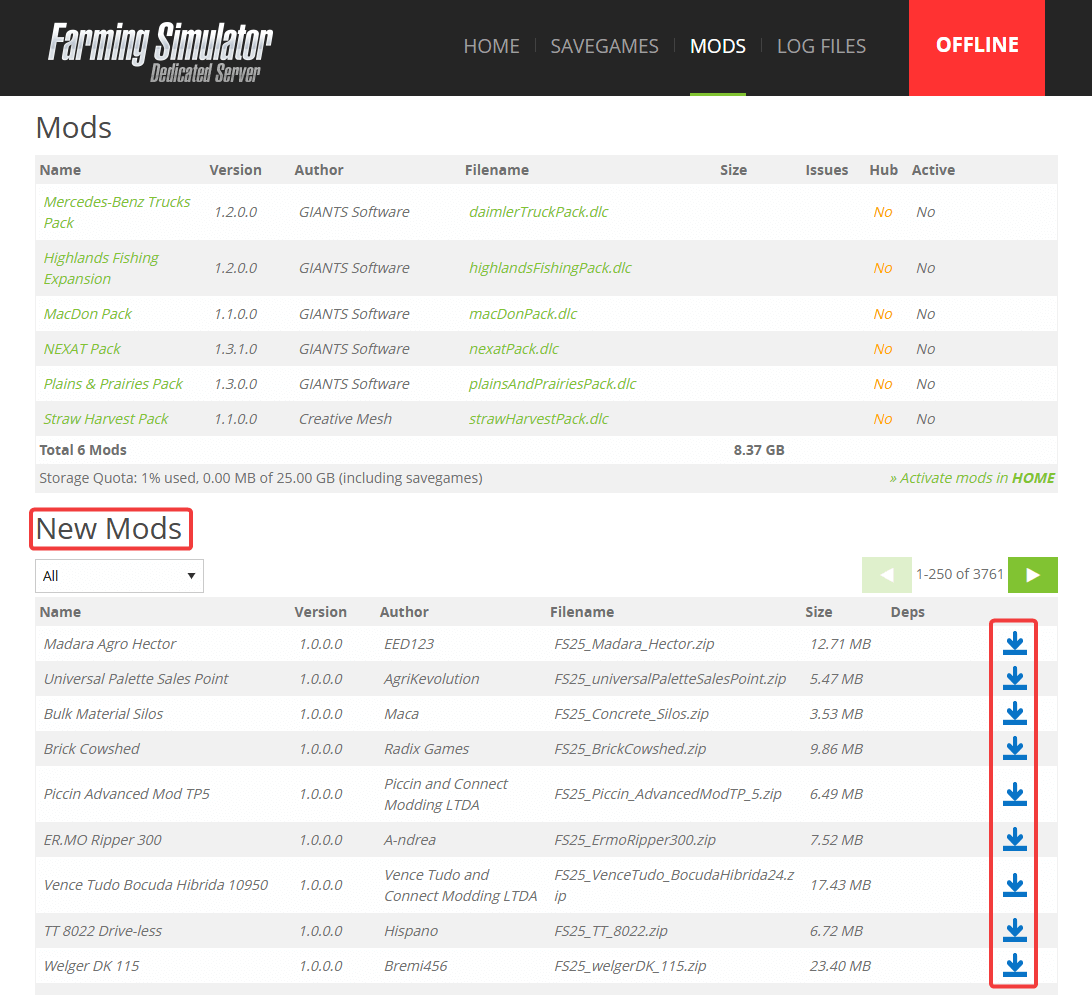
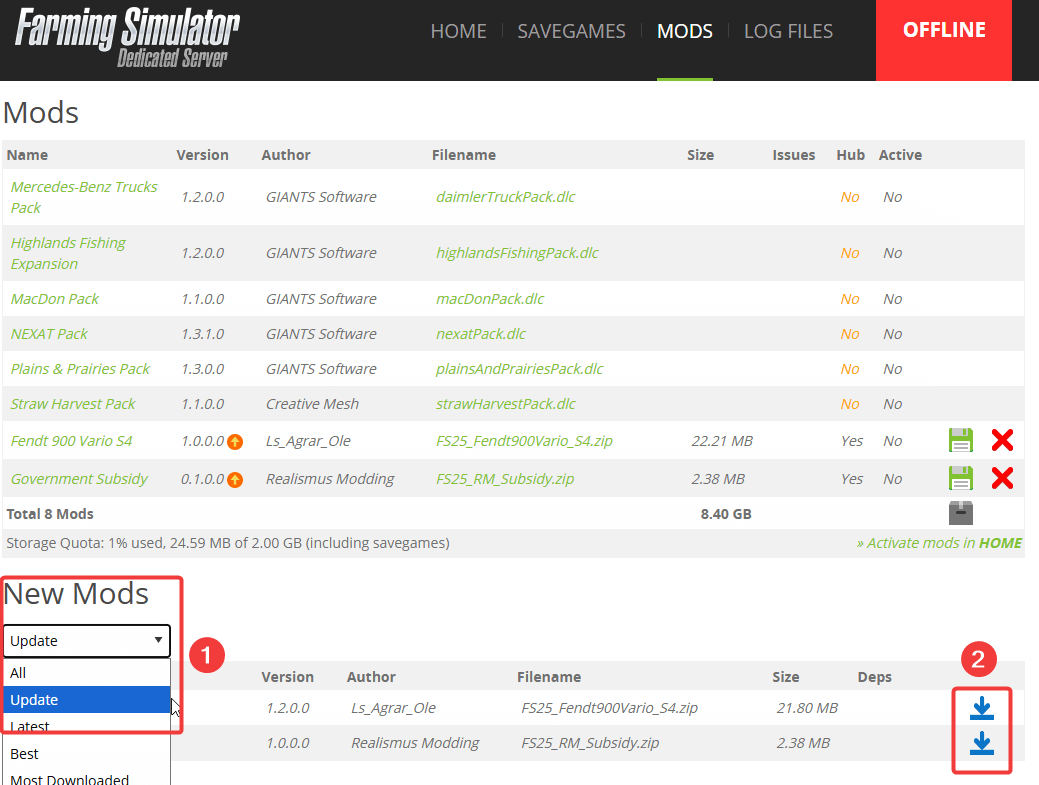
You can also browse mods directly in the FS25 control panel under Mods tab => New Mods section. Click the upload icon next to any mod to install it.
Where Can I Find My Local FS25 Mods?
On Windows, mods are stored in your Documents folder:
C:\Users\<YourUsername>\Documents\My Games\Farming Simulator 25\mods
To open this folder quickly:
- Press Win + R to open the Run dialog
- Type
%USERPROFILE%\Documents\My Games\Farming Simulator 25\modsand press Enter

Uploading Methods
You can upload mods via the FS25 control panel or via SFTP. If you need to upload several mods or mods larger than 1.71GB (current control panel limit), we recommend using SFTP.
Upload via FS25 Control Panel
- Log in to the FS25 control panel
- Go to the Mods tab
- Scroll down to Upload Mods section
- Click Choose Files and select the mod you want to upload
- Click Upload

Upload via SFTP
You can use any SFTP client such as WinSCP, FileZilla, or Cyberduck. This example uses WinSCP.
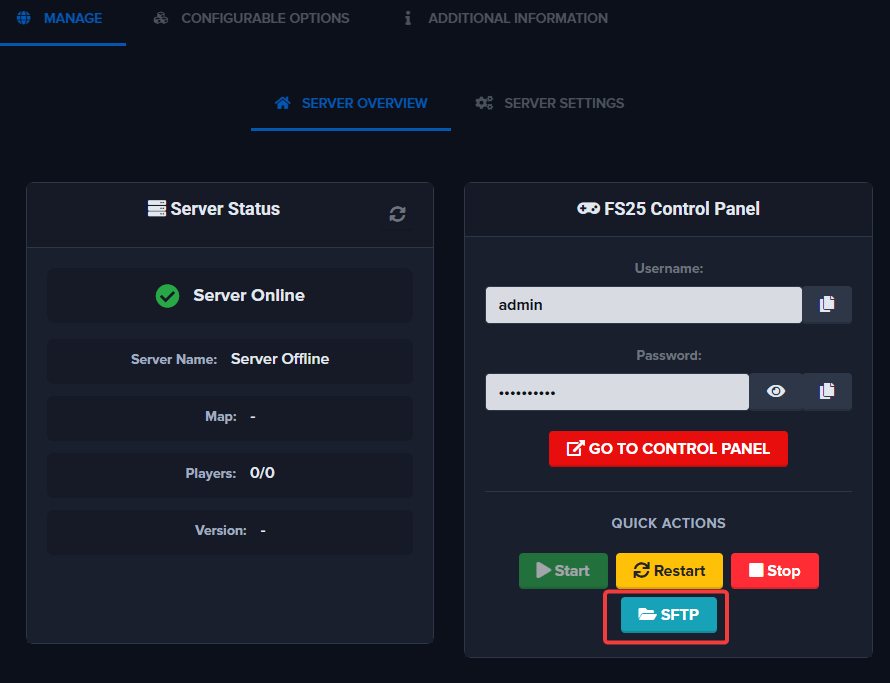
Step 1: Locate your SFTP details on the page before logging into the FS25 control panel. Click the SFTP button to reveal the connection details.
Step 2: Launch your SFTP application (WinSCP in this example).
Step 3: Enter the connection details and click Login. If prompted to "Continue connecting to an unknown server", click Accept.
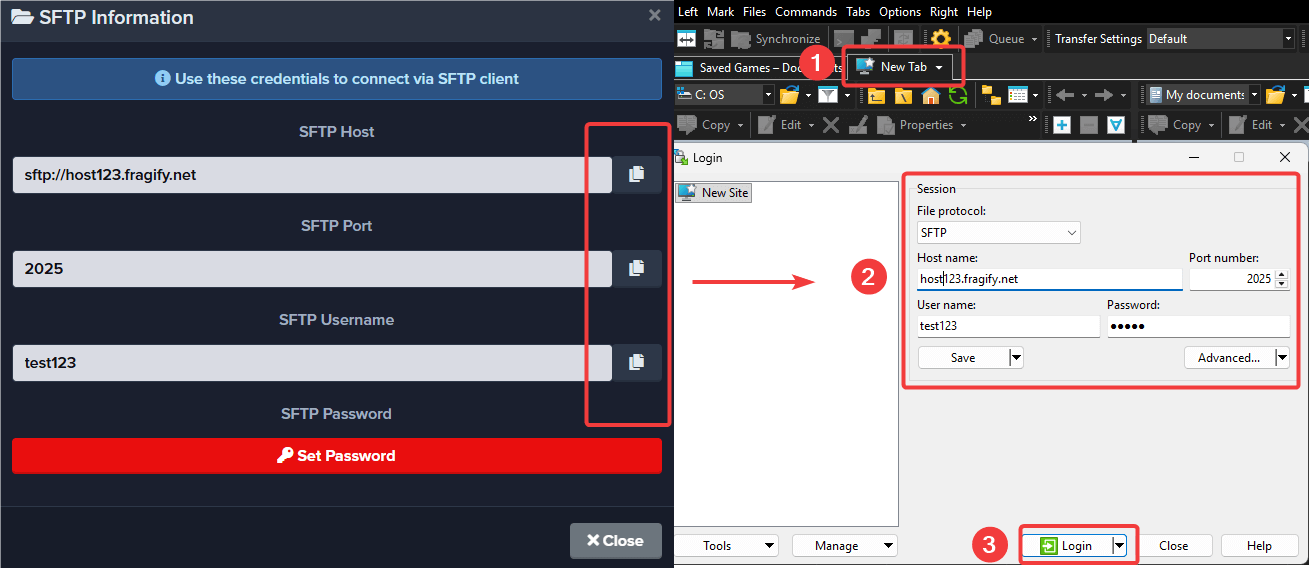
Step 4: Navigate to serverProfile/mods directory. Upload your mods from your PC to this folder. Click OK when prompted to confirm the upload.


Activating Mods
- Go to the main page of the FS25 control panel
- Scroll down to Activate mods section
- Click the checkbox next to the mod you want to enable
- Click Activate

Updating Mods
Modhub Mods
- Go to Mods tab in the FS25 control panel
- Select Update from the dropdown under New Mods section
- Click the upload button
- Wait a few minutes, then restart the FS25 control panel from the Quick Actions menu
Non-Modhub Mods
You will need to delete the existing mod and re-upload it via the Mods tab or SFTP.
Troubleshooting
Cannot Activate a Mod
The mod is missing a dependency. Go to the Mods tab and click Issues next to the mod to see the missing dependencies. Upload and activate the required mods first.


Cannot Join Server Due to Mods
For non-Modhub mods: Download the mod to your local mods directory:
C:\Users\<YourUsername>\Documents\My Games\Farming Simulator 25\mods
To open this folder quickly, press Win + R, type %USERPROFILE%\Documents\My Games\Farming Simulator 25\mods and press Enter.
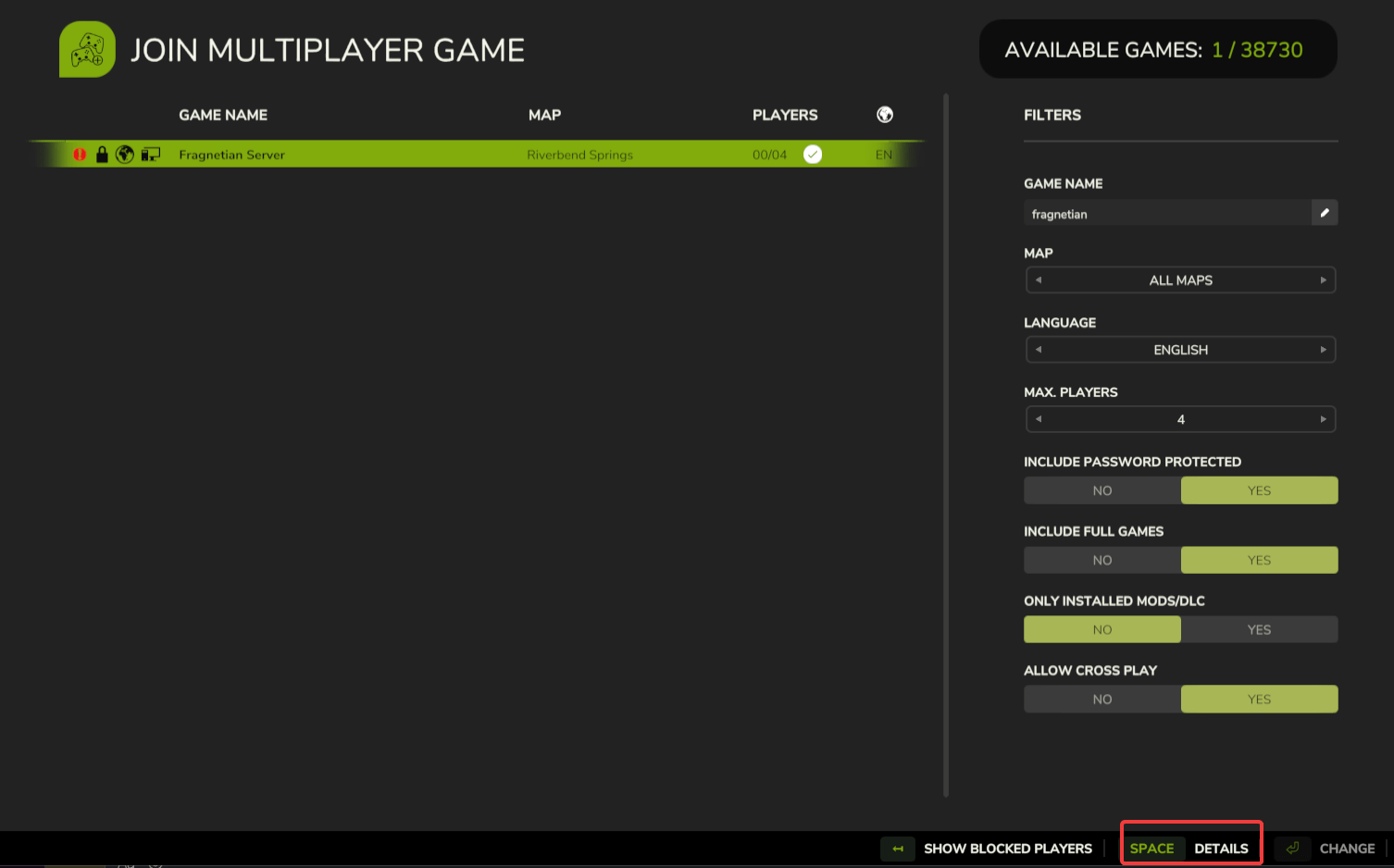
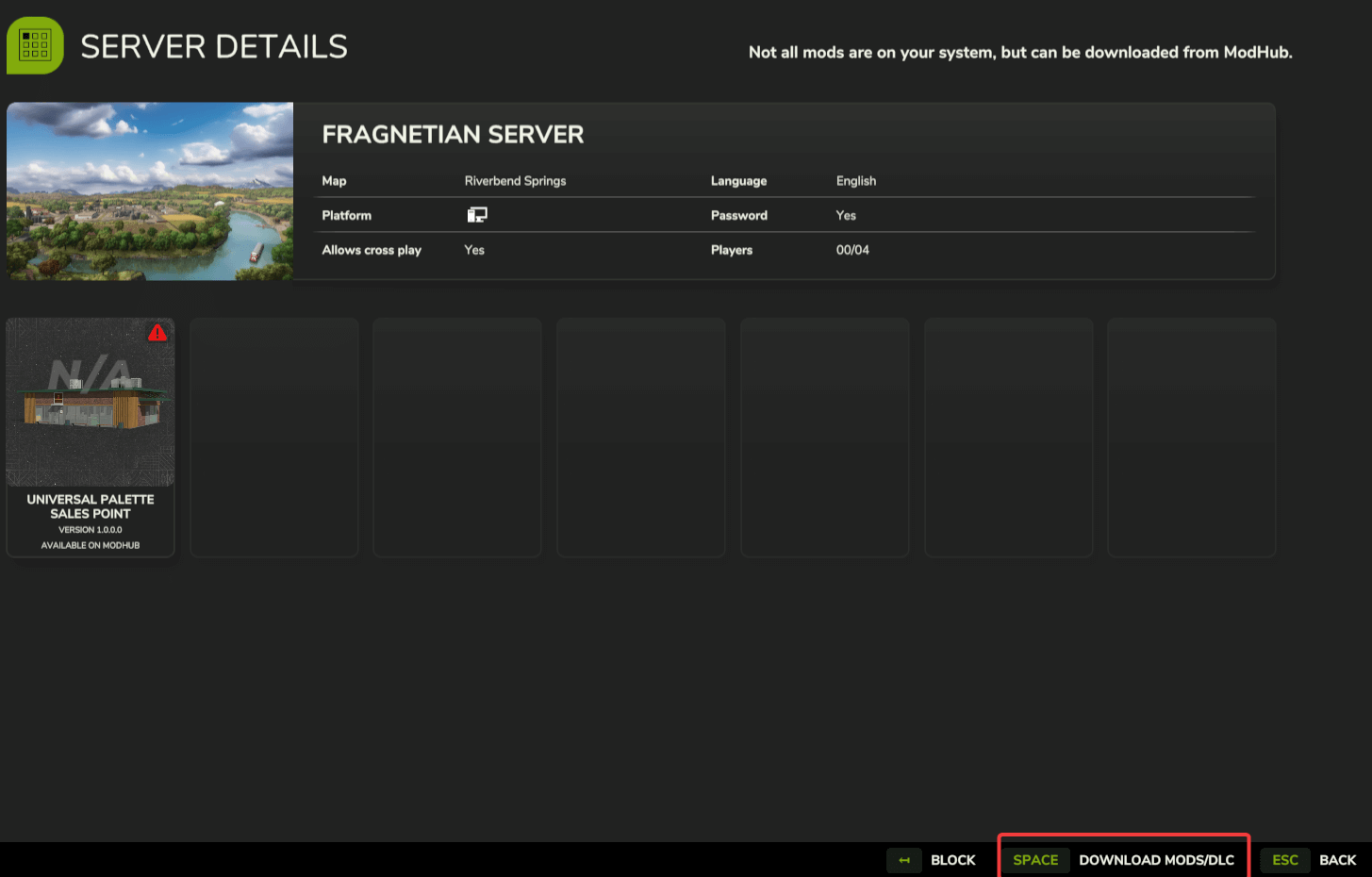
For Modhub mods: In-game, click Details on the server => Download Mods/DLCs