Finding Your Server
This guide explains how to find and join your Farming Simulator 2025 server.
Step 1: Launch the Game
Launch Farming Simulator 25 and make sure your FS25 server is running from the FS25 control panel.
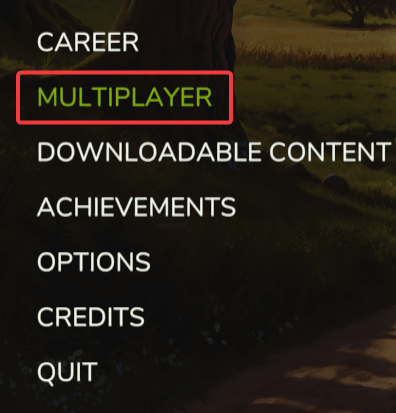
Step 2: Go to Multiplayer
Go to Multiplayer and select Join Game.

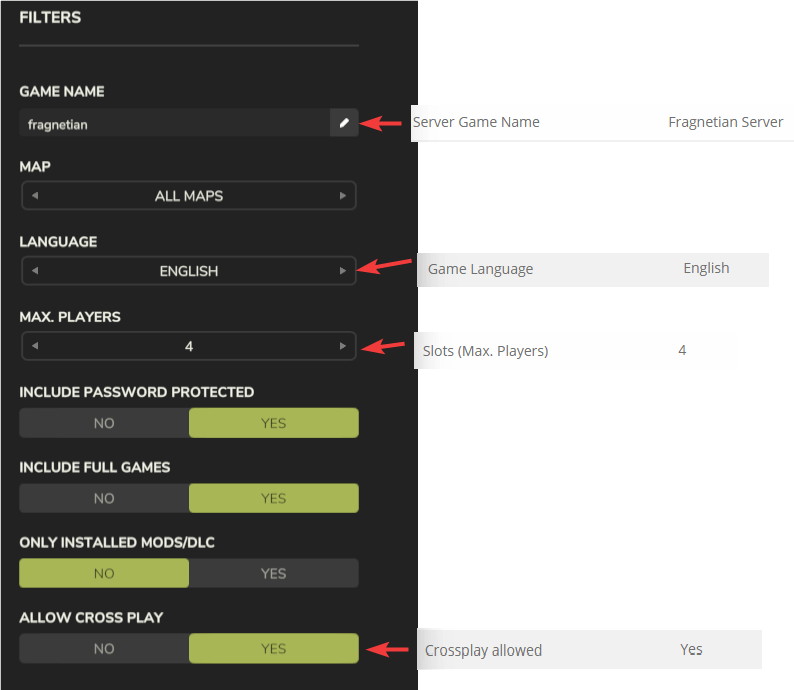
Step 3: Set Search Filters
Set the search filters to match the settings configured in your FS25 control panel.
Troubleshooting
Server Does Not Appear in the List
FS25 server is offline
- The server must be running in the FS25 control panel to appear in the list.
Game version mismatch
- Your FS25 version must match the server's version. You can see your game version in the top-left corner of the main menu.
Still Cannot Find the Server?
- Ensure that the search filters are set correctly
- Restart the game and search again
- Contact our support team for assistance