Overview of common problems
Unable to find my FS22 server
-
Make sure your game runs the latest available version of Farming Simulator 22.
-
Check that the server is ready. In the Fragnet dashboard, go to My servers, select your server and check that the status shows Online · ready to join. While it shows Loading map, the server is still loading the savegame. Wait a few minutes after starting before you look for the server.
-
Check that you haven't blocked the server. You can see blocked servers in the Blocked players option in Multiplayer.
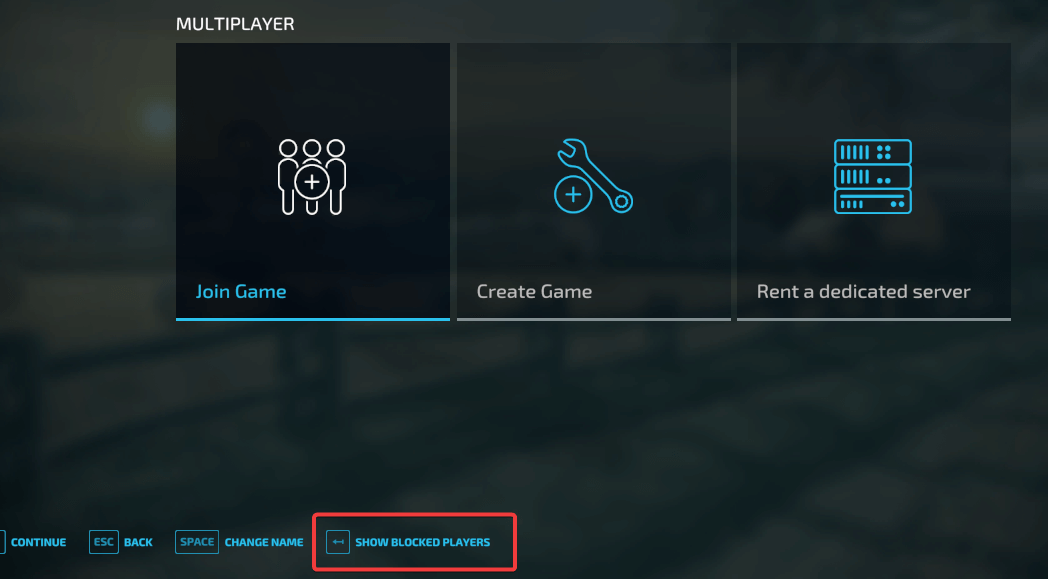
-
Refresh the server list by going back to the Multiplayer menu and selecting Join Game. See Finding your Farming Simulator 22 server for the right filters.
-
Check the server's game log for errors:
- Open the Logs tab of your server.
- Set Source to Game and Show to Warnings & errors.
The Recent warnings card on the Overview tab also shows the latest warnings and errors, with a link to Open game log.
If you see this error:
Error: Could not start dedicated server with current mod setup because some dependencies are missing!
check all the active mods on the server for dependency mods that some mods need to run. All required dependencies have to be uploaded to your server and activated. On the Mods tab, a mod with a missing dependency shows Missing: followed by the mods it needs. See Installing mods.
For example, if you have the mod map Rennebu active, it needs Buildings Of Norway. The dependencies of ModHub mods are listed in the Required Mods section of their ModHub page, and in the dashboard's ModHub view as Requires:.

If you have trouble finding the missing dependencies, open a support ticket and we'll help you.
My server does not save
-
Check the server's game log for errors: open the Logs tab, set Source to Game and search for
Saving.If you see this warning:
Warning: Saving while already savingincrease the auto-save interval. The warning means the save interval is too short: a new save starts before the previous one has finished, which can corrupt the savegame.
- Open the Configuration tab and select the Saving & statistics group.
- If the game is running, select Stop game in the notice and confirm with Stop game.
- Increase Auto-save interval (in minutes).
- Select Save at the bottom of the page, then Start game in the header.
-
Make sure the SuperPerson mod isn't active, as it tends to corrupt savegames.
-
Update all mods to the latest available versions.