Finding and connecting to your Don't Starve Together server
This guide shows you two ways to connect to your Don't Starve Together server.
Via Direct Connect
-
Find your server's address. Open the Fragnet dashboard, go to My servers and select your Don't Starve Together server. On the Overview tab, the Server Details card shows the Address with a copy button (see Server Details). The part before the colon is the IP address, the part after it is the port. If the address shows a domain, you can switch Address type to IP.
-
If your server has a password, have it ready. See Setting a password.
-
Launch the game and press the tilde key (
~) to open the console. -
Type this command, with your server's IP address, port and password:
c_connect("ip", port, "password")For example:
c_connect("203.0.113.10", 10999, "password123"). The port goes without quotes. -
Press Enter. If all details are correct, you are connected to your server.
Via Server Browser in-game
-
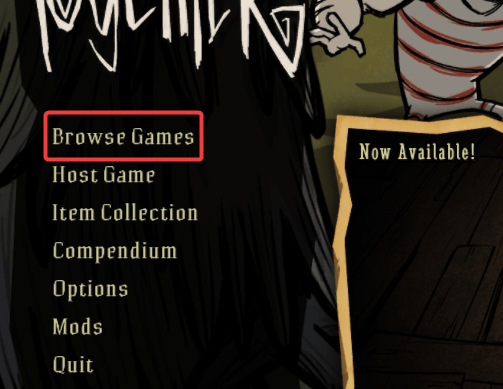
Launch the game and select Browse Games in the main menu.
-
Search for your server's name. This is the
cluster_namein your server'scluster.ini, or the matching startup setting under Configuration > General > Startup if your server has one.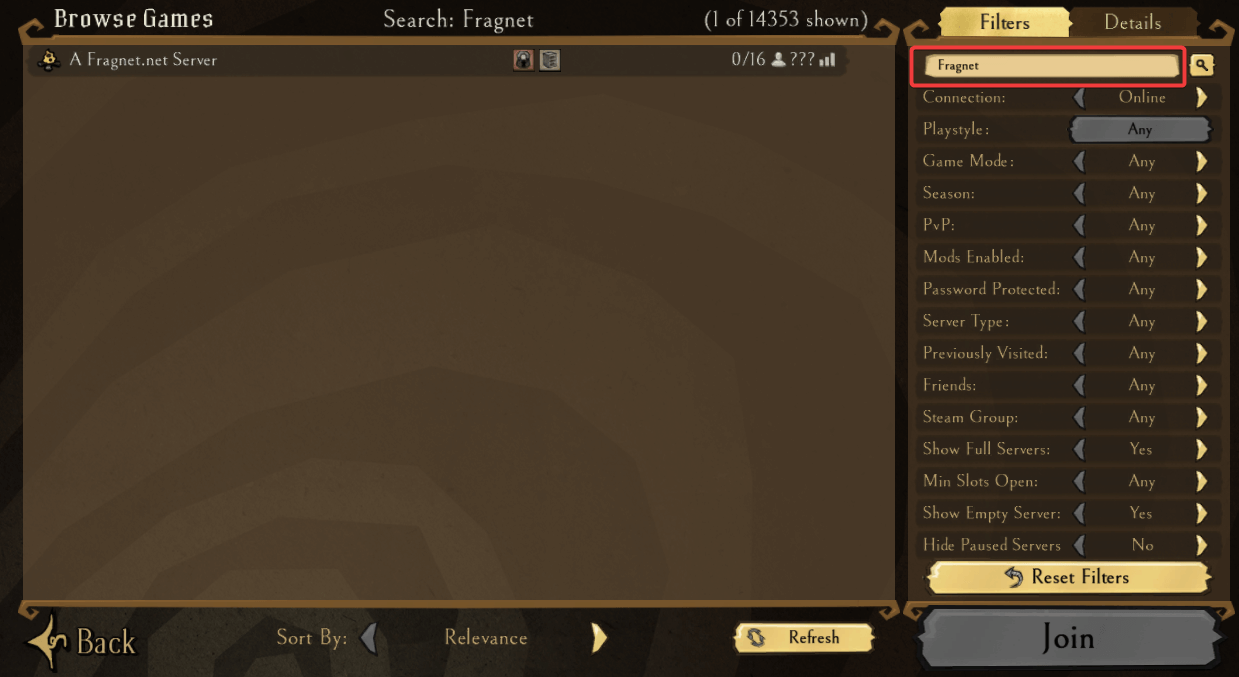
-
Your server appears in the list. Select it and select Join.
If you can't find your server, check that the name you search for and the browser's game mode filter match your server's name and game mode (game_mode in cluster.ini). The server also needs a valid cluster token to show up. See Generating a cluster token.