Adding admins to your Don't Starve Together server
Adding admins to your Don’t Starve Together server requires creating an adminlist.txt file at a specific location.
Let's start by getting your Klei_ID. There are 2 ways to do this:
Getting your Klei_ID
Method 1
-
Connect to your server and type
c_listallplayers()in the console. -
You will see a list of players connected to the server. Find your name and copy the Klei_ID.
Method 2
-
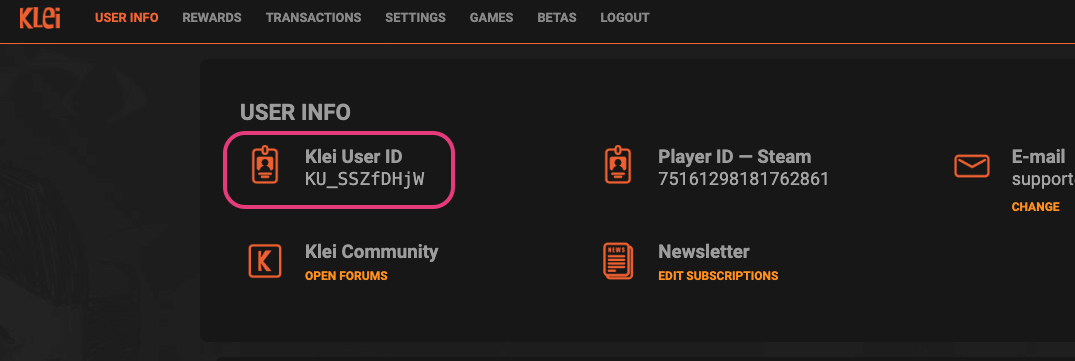
Go to Klei Entertainment and log in with your Steam account.
-
Once logged in, you will see your Klei_ID.
Creating the adminlist.txt file
- Open up your File Manager on your game panel.

-
Go to this directory:
DoNotStarveTogether => config => server. -
Once there, click on New File located in the upper right corner of the panel.

- The file will open up, paste your
Klei_IDin the first line and then click on Create File in the lower right corner.

-
It will prompt you to name the file. It’s very important to name it adminlist.txt.
-
Afterwards, click on Create File and Start/Restart you server and connect to it.
If successfully done, you should see a star icon near your character portrait:
