Setting a password on your Don't Starve Together server
To make your server password protected, all that needs to be done is edit the cluster.ini file.
Via Configuration options
-
Login to your Fragify panel and select Don't Starve Together server. Select Configure tab and you can set password in Cluster Settings.
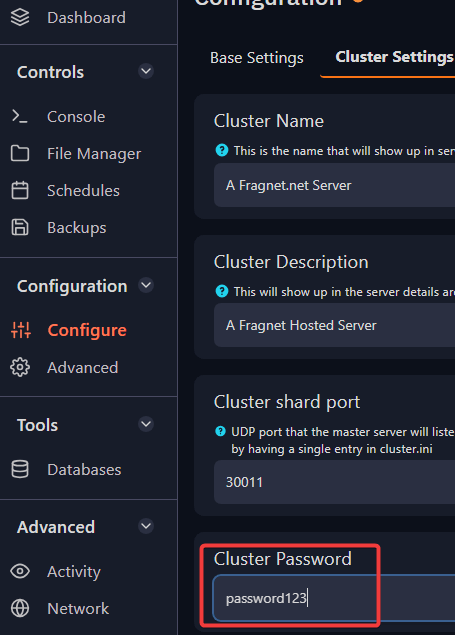
-
Restart the server for the changes to be applied.
You can now use the set password for joining your server.
Via File Manager
-
Head over to your File Manager on your Fragify game panel and then go to
DoNotStarveTogether => config => server => cluster.ini. -
Open up the cluster.ini file and go to the [NETWORK] section and set your password in the following variable:
cluster_password =
- Once added, click on Save Content located in the lower right corner.

- Start/Restart your server.
That's it! You've now password protected your server.