Banning players on your Don't Starve Together server
There are two ways to ban players:
- With a console command, while the player is still on the server.
- By adding their Klei ID to
blocklist.txt, for example when the player is offline.
Ban a player with a console command
You can run these commands in the console on the Overview tab of the dashboard (see Send a command) or in the in-game console as an admin.
-
Open the Fragnet dashboard, go to My servers and select your Don't Starve Together server.
-
In the console, type
c_listallplayers()and press Enter. The console lists all players with their Klei IDs. -
Copy the player's Klei ID into this command and send it:
TheNet:Ban("PlayerKleiID")For example:
TheNet:Ban("KU_ex12312"). Keep the quotes and the parentheses.
The player is removed from the server and can't join again. To only kick a player without banning them, use TheNet:Kick("PlayerKleiID") instead.
Ban a player with blocklist.txt
- If the player isn't online any more, find their Klei ID in the server log. On the Files tab, open
DoNotStarveTogether/config/server/Master/server_log.txtand look for the player's name. - Open the folder
DoNotStarveTogether/config/server. - If
blocklist.txtis already there, select it to open it. Otherwise select New file, enterblocklist.txtas the name and select Create (see Create a file or folder). The name must be exactlyblocklist.txt. - Paste the player's Klei ID. Put each Klei ID on its own line.
- Select Save file.
- Restart the server (see Power controls).
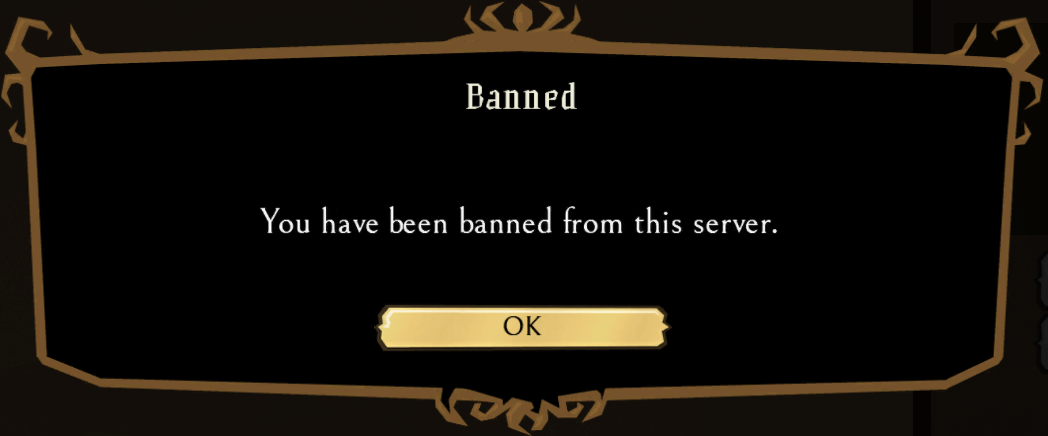
When the player tries to connect, they see this:
To unban a player, delete their line from blocklist.txt, save the file and restart the server.